
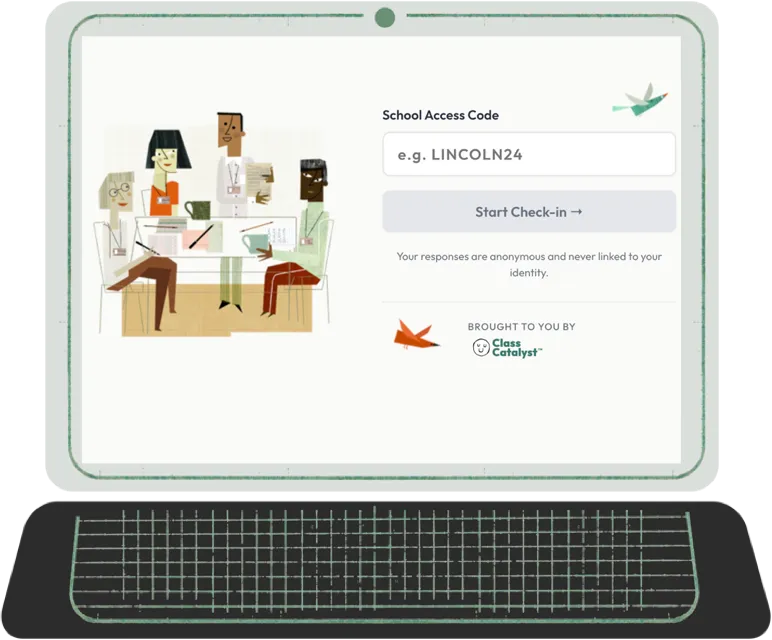
No accounts for staff. No login. No pressure. Just an honest picture of how your team is doing — in the time it takes to start a meeting.
A thriving school starts with a team that feels heard.
Pulsecheck gives your staff a safe place to share how they’re doing — and gives you the whole picture in time to act on it.
Everyone measures how students are doing. Pulsecheck gives you the other half of the building: a live staff signal you can act on while there’s still room to act.
The Stakes
The signals are there. Are you able to hear them?

Staff burnout doesn’t announce itself. It builds slowly — in the quiet of a teacher who stops raising their hand, the counselor who’s stopped laughing at lunch, the administrator who can feel something’s off but can’t point to what. By the time it shows up on your radar, it’s often already cost you someone.
The signals that a teacher is done usually arrive too late to do anything with. A resignation letter. A leave of absence. A performance conversation that should have been a conversation six months earlier.
Pulsecheck gives administrators and staff a shared, structured way to surface what’s actually going on — before a hard stretch becomes a resignation letter.
In Practice
What hearing it early looks like.
Every principal has watched a strong teacher quietly come apart over a semester, and only understood the whole picture in the exit interview.
Here’s the version where that doesn’t happen.
It’s late October. Your staff runs Pulsecheck at the start of the Tuesday faculty meeting — no login, nothing to set up, done before the agenda starts. The first couple of weeks the picture holds steady. Then energy drops, and connection dips with it. Nothing anyone would have raised out loud. Nothing you’d have caught in a hallway.
You don’t know who. You’re not meant to. What you know is that your building is running low in the same stretch that report cards are due — and that it’s October, not May. So you move a deadline. You cover a duty period. You cancel the meeting that could have been an email, and you tell your staff why.
That’s the whole idea. Not a diagnosis. A chance to act while acting is still cheap.
Nobody had to be named for you to see it. Here’s how that works.
How It Works
Simple enough to use anywhere. Meaningful enough to matter.
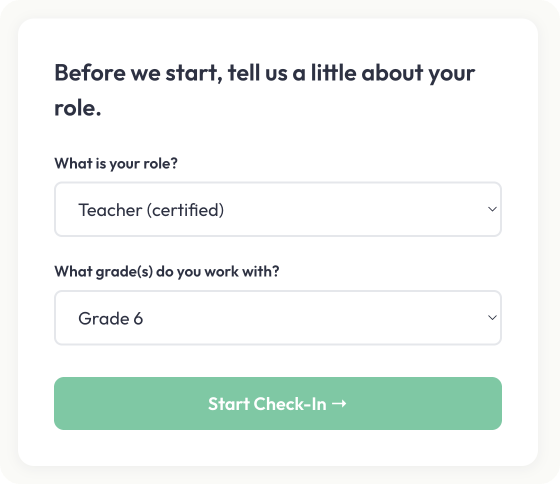
Step 1 — Staff share where they are
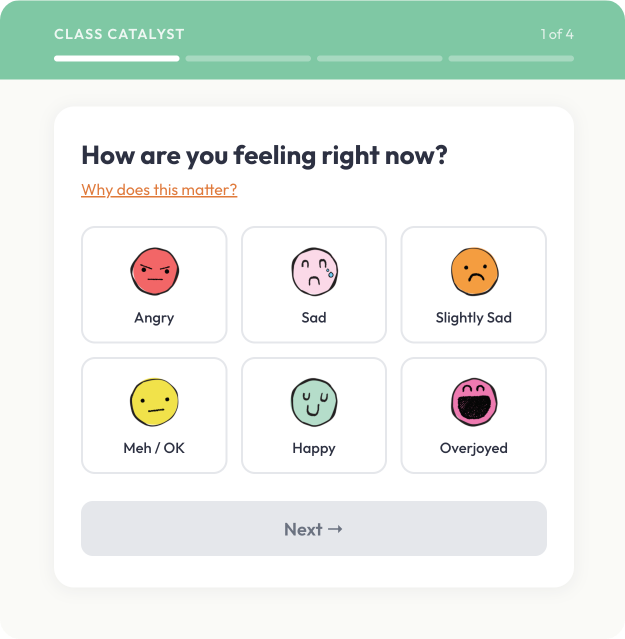
Staff use your school’s access code to start a short session — no login, no account, no app to download. A brief set of questions about stress, energy, and connection. Done when they’re done.
Use it before a team meeting. At the start of a grade-level session. Or whenever a staff member needs a moment to take stock.
Step 2 — Responses come in
Responses are anonymous by default. Staff who want to be heard directly can leave a note — with or without their name. Nothing is sent for 45 seconds: change your mind in that window and it never leaves.
No one is watching in real time. No one is waiting on any one person. The system collects responses quietly, on its own.
Step 3 — Everyone sees the picture
Results appear in groups of 10 responses — to administrators and to staff alike. Trends, patterns in stress and energy and connection, and any notes that were shared. Same view. Same information. No asymmetry between leadership and team.
Every update to that view follows the same rule: results release in groups of 10.
Why the Design Matters
Built for honesty. Engineered for trust.
Any tool that ties an answer to a name produces performance, not truth — people select the acceptable option and move on. Pulsecheck is built the other way around. Most tools promise anonymity. Pulsecheck is designed so the promise doesn’t have to be trusted — it’s structural.
No accounts for staff. Pulsecheck operates at the school level. Staff have no account, so there is no way to connect a response to a person.
Results appear in groups of 10 responses. Data is released in groups of ten. If eleven people answer, ten release and the eleventh waits until nine more arrive. This isn’t a filter hiding data from you — those responses simply haven’t been released yet, and the grouping holds every time the view updates.
Your name, your choice. Staff can leave a note anonymously or attach their name if they want a direct response. Anonymous notes join the team read on the same grouping as everything else. A staff member who asks for follow-up chose to be known — that’s consent, not a gap in anonymity.
45 seconds to reconsider. Nothing is sent for 45 seconds. Every note, named or anonymous, sits in that window first — change your mind and it never leaves. It’s a hold, not a retraction.
Staff see what you see. Administrators and staff read the same aggregate. There is no hidden leadership layer.
Flexible Use
Use it when it makes sense. The more you do, the more it tells you.

- Before a staff meeting — a quick read of the room before the agenda begins.
- As a grade-level or department opener — a shared read before collaborative work.
- During a particularly hard stretch — after a difficult week, a community event, or any moment when leadership wants to know how the team is holding up.
- As an individual centering practice — a staff member, on their own, taking a few minutes to reflect on where they are.
There’s no prescribed cadence. Consistent use is what builds the trend — not just how the team feels today, but how that’s shifted over the course of a semester.
What Leadership Sees
A picture of your team. Never a picture of any one person.
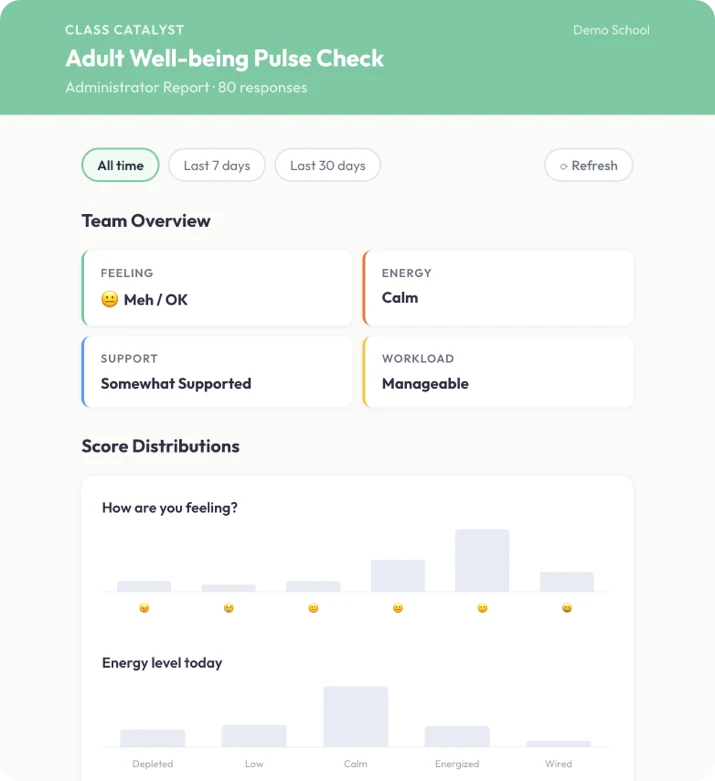
- Trends in stress, energy, and connection over time — so you can see how your team is moving, not just where they are today.
- Patterns that surface before they surface anywhere else — the read often shows what the hallway conversations haven’t started yet.
- Notes from staff who chose to share — anonymous observations, or direct messages from staff who attached their name and wanted a response.
Objections
The questions leaders ask first.

“Isn’t this surveillance of my staff?”
The opposite, by design. You never see an individual, and your staff see the same aggregate you do. If it watched anyone it couldn’t work — nobody would answer honestly.
“Can I see who’s struggling?”
No, and that’s the point. You see where your team is, not who. Anyone who wants to reach you directly can attach their name and do it on their own terms.
“How do I know it’s actually anonymous?”
Because it’s structural. There’s no staff account to tie a response to, and results appear in groups of 10 responses. No view bypasses it.
“Will staff actually use it?”
No login, no account, no friction. Run it in a team meeting or a grade-level session. It fits into the day rather than adding to it.
“We already have an EAP.”
An EAP helps after someone is already in crisis. Pulsecheck helps you see the drift before it gets there.
“What does IT need to do?”
Whitelist a domain. There’s no rostering, no integration, and no student data to review.
The Belief Behind It
Same belief. Different half of the building.


Class Catalyst gives educators visibility into how students are doing. Pulsecheck gives the whole team visibility into how they’re doing.
They are not two views of one system. Pulsecheck runs on entirely different infrastructure from Class Catalyst, with no connection between them — not a partition, not a permission setting, no path from one to the other at all. That isn’t a technical accident we’re making a virtue of. The trust Pulsecheck depends on requires that staff never wonder whether what they said travels back through the system that manages their work. The only way to make that answer simple was to build it somewhere else.
What the two share is a belief: you can’t support what you can’t see. The care your staff bring to students every day deserves the same structured attention.
Pulsecheck works entirely on its own. Nothing to adopt first, no student platform required, no student data involved, no rostering and nothing to integrate. Schools already running Class Catalyst read the two halves of the building side by side — never joined, because there is nothing joining them.
See It In Action
Your team is carrying more than you can see.
Pulsecheck gives them a place to put it down.

No accounts for staff. No login. No pressure. A short session that keeps you connected to your team — and keeps your team connected to each other.