
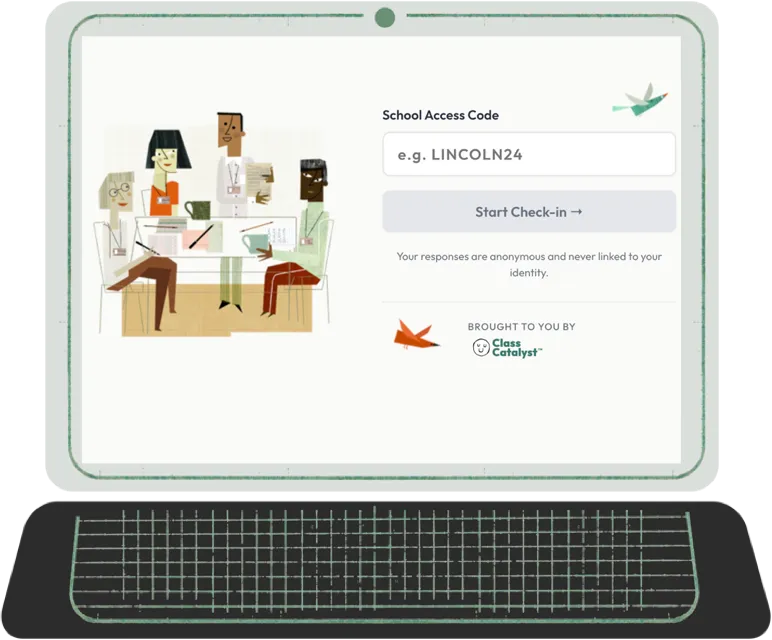
A thriving school starts with a supported team.
Pulse Check gives your staff a safe place to share how they’re doing — and gives you the insight to act.
No login. No accounts. No pressure. Just an honest picture of how your team is doing — in the time it takes to start a meeting.
The Stakes
The signals are there. Are you able to hear them?

By the time it shows up on your radar, it’s often already cost you someone.
Pulse Check gives administrators and staff a shared, structured way to surface what’s actually going on — before a hard stretch becomes a resignation letter.
How It Works
Simple enough to use anywhere. Meaningful enough to matter.
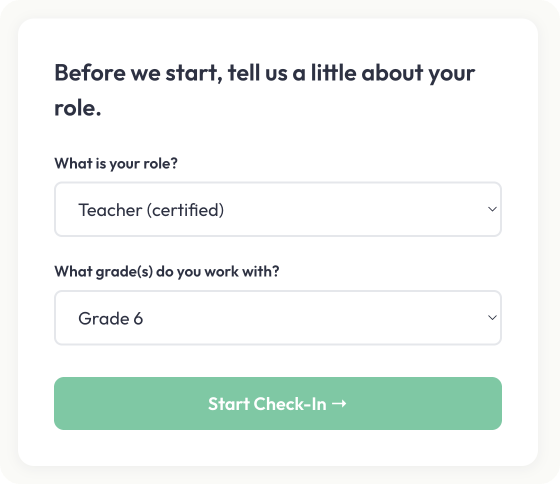
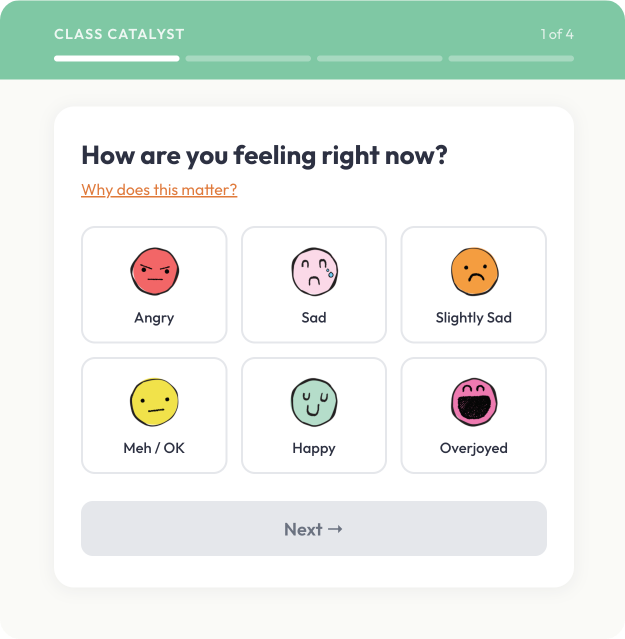
Step 1 — Staff Check In Staff use your school’s unique access code to start a quick well-being check-in — no login, no account, no app to download. A short set of questions about stress, energy, connection, and more. Done when they’re done.
Use it before a team meeting. At the start of a grade-level check-in. Or whenever a staff member needs a moment to take stock.
Step 2 — Responses Come In Responses are anonymous by default. Staff who want to be heard directly can leave a note — with or without their name. Every note, named or anonymous, includes a 45-second window to reconsider before it reaches anyone.
No one is watching in real time. No one is waiting on any one person. The system collects responses quietly, on its own.
Step 3 — Everyone Sees the Picture Once 10 or more staff have submitted, the data becomes visible — to administrators and to staff alike. Trends, mood patterns, and any notes that were shared. Same view. Same information. No asymmetry between leadership and team.
Every update to that view follows the same rule: 10 responses minimum, always.
Privacy First
Built for honesty. Engineered for trust.
Most tools promise anonymity. Pulse Check is designed so the promise doesn’t have to be trusted — it’s structural.
No accounts. No login. Pulse Check operates at the school level. The system has no knowledge of who’s checking in. There’s no account to connect a response to, no username in a database somewhere. Staff check in through a shared access code — and that’s it.
Data only appears after 10. No stats, no notes, no updates to any view — until at least 10 staff have submitted. Every time. Not a one-time threshold. A permanent condition of every data view in the system. There’s no way to reverse-engineer who said what from aggregate data gated this way.
Your name, your choice. Staff can leave a note anonymously or attach their name if they want a direct response. Either way, the choice belongs entirely to them — the system doesn’t push them either direction.
45 seconds to reconsider. Every note — named or anonymous — includes a 45-second window before it reaches administration. Not a limitation. A design choice. One that says: we’re on your side.
Staff see what you see. Administrators and staff access the same aggregate view. No information asymmetry. No one wonders what leadership knows that they don’t.
Flexibility by Design
Use it when it makes sense. The more you do, the more it tells you.

Pulse Check isn’t a mandated program or a fixed cadence. It’s a tool your school uses on its own terms — and the more consistently it’s used, the more meaningful the data becomes.
Some ways schools use it:
Before a staff meeting — a quick read of the room before the agenda begins.
As a grade-level or department opener — a shared moment of check-in before collaborative work.
During a particularly hard stretch — after a difficult week, a community event, or any moment when leadership wants to know how the team is holding up.
As an individual centering practice — a staff member, on their own, taking a few minutes to reflect on where they are.
Weekly or bi-weekly use builds the longitudinal trend data that helps administrators spot patterns over time — not just how the team feels today, but how that’s shifted over the course of a semester.
What Administrators See
A picture of your team. Never a picture of any one person.
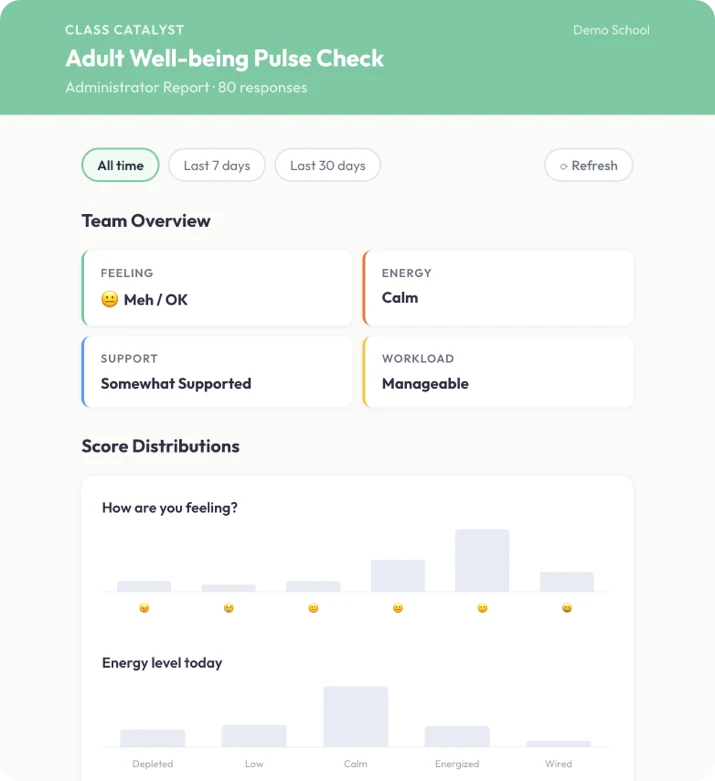
The Pulse Check admin dashboard shows:
Trends in stress, energy, and connection over time — so you can see how your team is moving, not just where they are today.
Mood patterns that surface before they surface anywhere else — the data often shows what the hallway conversations haven’t started yet.
Notes from staff who chose to share — anonymous observations or direct messages from staff who attached their name and wanted a response.
Everything in the dashboard is aggregate. Every view is gated by the same 10-response threshold. You lead with information — without ever compromising the trust that makes that information honest.
The Belief
Behind It
Same belief. Different half of the building.



These are separate systems — designed that way intentionally. The trust Pulse Check is built on requires that staff never feel like they’re being tracked through the same system that manages their work. Pulse Check has no accounts, no records, no connection to any individual’s professional profile.
What they share is a belief: you can’t support what you can’t see. The care your staff bring to students every day deserves the same structured attention.
See It In Action
Your team is carrying more than you can see.
Pulse Check gives them a place to put it down.